The gateway module — sometimes referred to as the central gateway (CGW) or data bus diagnostic interface — is one of the most strategically important electronic components in any modern Volkswagen Group vehicle. Its role is to serve as the central communication hub that interconnects all of the vehicle’s individual electronic networks, allowing control units from different bus systems to exchange data seamlessly and in real time.
Modern VAG vehicles do not rely on a single communication network. Instead, they use multiple specialized bus systems, each optimized for a specific type of data traffic:
- CAN Bus (Controller Area Network) — the backbone of vehicle communication, used for powertrain, chassis, and safety systems
- LIN Bus (Local Interconnect Network) — a lower-speed network used for simpler components such as seat controls, mirror adjusters, and interior lighting
- MOST Bus (Media Oriented Systems Transport) — used for high-bandwidth multimedia and infotainment data
- FlexRay — a high-speed, fault-tolerant protocol used in safety-critical and time-sensitive applications
- Automotive Ethernet — increasingly used in newer vehicle generations for high-speed data transfer between advanced driver assistance systems, cameras, and infotainment platforms
The gateway module sits at the intersection of all these networks. It translates, filters, and routes messages between bus systems, ensuring that the right data reaches the right control unit at the right time — even when those units are operating on fundamentally different communication protocols.
Without a functioning gateway, the vehicle’s electronic architecture effectively fragments into isolated islands of communication, and critical systems lose the ability to coordinate with one another.
What Is a Gateway Communication Error?
A gateway communication error is a diagnostic fault condition that indicates a breakdown or disruption in the communication flow managed by the gateway module. These errors can manifest in several ways:
- As stored fault codes (DTCs) in one or multiple control units, detected during a diagnostic scan with ODIS or similar software
- As missing control units in a full system scan, where modules that should be present and communicating are not responding
- As live communication timeouts during diagnostic procedures, where ODIS is unable to establish a session with specific modules
- As warning lights or messages displayed on the instrument cluster or infotainment screen, indicating system faults
It is important to understand that a gateway communication error does not always mean the gateway module itself has failed. Because the gateway is the central node through which all diagnostic communication passes, a fault in any connected network or module can sometimes be misattributed to the gateway. Careful and methodical diagnosis is therefore essential.
Common Causes of Gateway Communication Errors
There are numerous potential causes for gateway communication errors in Volkswagen vehicles. Understanding each one helps technicians approach diagnosis systematically rather than jumping to component replacement.
1. Incorrect Gateway Module Coding
The gateway module must be precisely coded to match the vehicle’s exact specification and equipment list. The coding tells the gateway which bus systems are present, which modules are expected on each network, and how communication should be managed. If the coding is incorrect — for example, after a module replacement or an incomplete programming procedure — the gateway may attempt to communicate with modules that do not exist, or fail to correctly route messages between systems that are present.
2. Improperly Adapted Replacement Gateway Module
This is one of the most common scenarios encountered in practice. When a used or remanufactured gateway module is installed in a vehicle, it typically carries the coding and adaptation data from its previous vehicle. This mismatch means the gateway is configured for a different vehicle specification, potentially a different model, trim level, or equipment variant. Until the module is properly recoded and adapted using online procedures, communication errors are virtually guaranteed.
3. Faulty or Damaged Wiring
The gateway module connects to multiple bus networks through a complex wiring harness. Damaged wires, corroded connectors, broken pins, or chafed insulation can interrupt communication signals at the physical layer. Because CAN bus and other vehicle networks rely on precise differential signaling, even minor wiring faults can cause significant and widespread communication disruptions that appear to originate from the gateway.
4. CAN Bus Short Circuit or Open Circuit
A short circuit or open circuit anywhere on a CAN bus network will typically cause all modules connected to that network segment to lose communication simultaneously. Since the gateway connects to multiple CAN bus segments, a fault on any one of them can generate gateway-related error codes across the vehicle.
5. Power Supply or Ground Issues
The gateway module requires a stable power supply and reliable ground connections to function correctly. Voltage drops, poor ground contacts, or intermittent power supply faults can cause the gateway to reset unexpectedly, lose its communication sessions, or behave erratically. These types of faults are particularly challenging to diagnose because they may only appear under specific load conditions or temperatures.
6. Software or Firmware Issues
In some cases, gateway communication errors can result from corrupted or incomplete software within the gateway module itself. This can occur after an interrupted programming procedure, a failed over-the-air update, or as a result of a known software bug in a specific module variant.
7. Incompatible or Faulty Aftermarket Components
The installation of aftermarket accessories or non-approved electronic components that connect to the vehicle’s bus systems can introduce communication disruptions. Devices such as aftermarket alarm systems, tracking modules, or diagnostic adapters that remain permanently connected can interfere with normal gateway operation.
8. Recently Installed Control Modules Not Configured
When any new or replacement control module is added to the vehicle — not just the gateway itself — it must be properly configured and integrated into the vehicle’s network. A module that has not been correctly adapted may continuously send unexpected or malformed messages on the bus, disrupting gateway communication for other systems.
Symptoms of a Gateway Communication Error
Gateway communication errors can produce a wide and sometimes confusing range of symptoms. Because the gateway touches every network in the vehicle, its malfunction can affect virtually any system. Common symptoms include:
- Multiple warning lights illuminated simultaneously on the instrument cluster, including engine, ABS, ESP, and airbag warnings
- Incomplete diagnostic scans — ODIS or other diagnostic tools report that one or more control units cannot be reached
- Entire bus segments going offline — all modules on a specific CAN or LIN network becoming unreachable at the same time
- Intermittent faults that appear and disappear without obvious cause, often correlating with temperature changes or vibration
- Loss of specific vehicle functions such as automatic climate control, electric window operation, or driver assistance features
- Infotainment system failures or loss of connectivity between the head unit and other vehicle systems
- Failed coding or adaptation procedures in ODIS, where the software cannot maintain a stable communication session with target modules
Step-by-Step Diagnostic Approach
When facing a gateway communication error, a structured diagnostic process is the most efficient path to resolution. Rushing to component replacement without proper diagnosis is a common and costly mistake.
Step 1 – Perform a Full System Scan
Begin by connecting ODIS to the vehicle and performing a complete scan of all available control units. Pay close attention to which modules are responding and which are not. Note all stored fault codes across every module. The pattern of faults — which modules are affected and which bus systems they belong to — provides critical clues about the location and nature of the underlying fault.
Step 2 – Analyze the Fault Code Pattern
Review the fault codes carefully. If all missing or faulting modules belong to the same bus network, this suggests a fault on that specific network rather than a gateway hardware failure. If faults are spread across multiple bus systems simultaneously, the gateway itself or its power supply becomes a more likely suspect.
Step 3 – Check Gateway Power Supply and Ground
Using a multimeter, verify that the gateway module is receiving correct supply voltage (typically 12V on relevant pins) and that all ground connections are clean, tight, and showing minimal resistance. Voltage drops of even a fraction of a volt can cause communication instability in sensitive electronic modules.
Step 4 – Inspect Wiring and Connectors
Visually inspect the wiring harness and connector at the gateway module for signs of physical damage, corrosion, moisture ingress, or bent pins. Extend the inspection to include the CAN bus termination resistors, which are typically located at each end of a CAN bus network and should measure approximately 60 ohms across the CAN-High and CAN-Low lines when measured with the network disconnected.
Step 5 – Verify Gateway Module Coding
Using ODIS, access the gateway module and review its current coding. Compare the coding against the vehicle’s known specification and equipment list. Any discrepancies should be corrected using the appropriate guided procedure within ODIS. In cases where the correct coding is unknown, the vehicle’s original build data can typically be retrieved from the Volkswagen vehicle data portal.
Step 6 – Perform Online Adaptation if Module Was Replaced
If a replacement gateway module has been installed, it must be adapted to the vehicle using an online procedure in ODIS. This process involves communicating with Volkswagen backend servers to retrieve the correct configuration data for the specific vehicle and write it to the new module. Attempting to manually code a replacement gateway without performing the online adaptation is likely to result in persistent communication errors.
Step 7 – Check for Component Protection
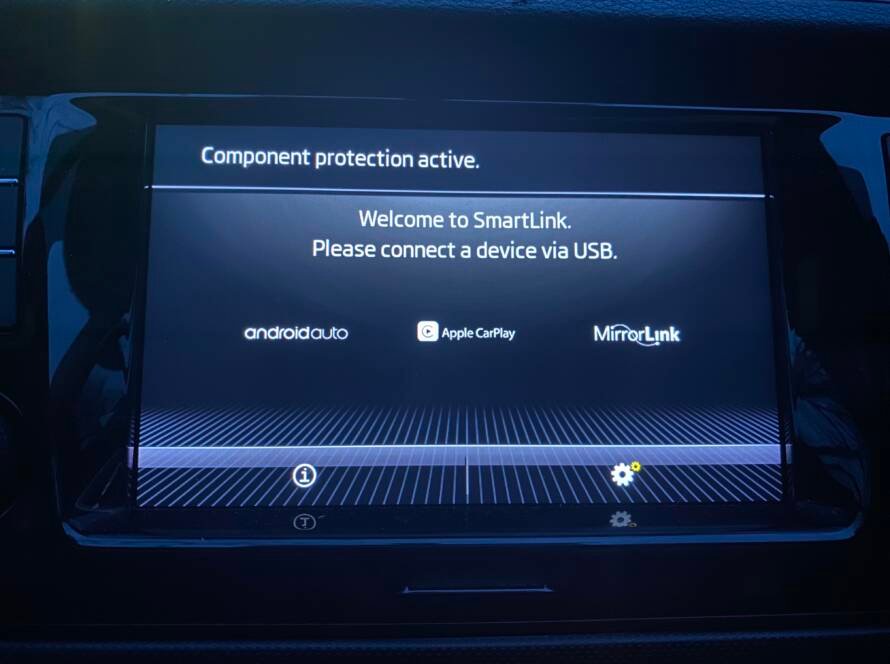
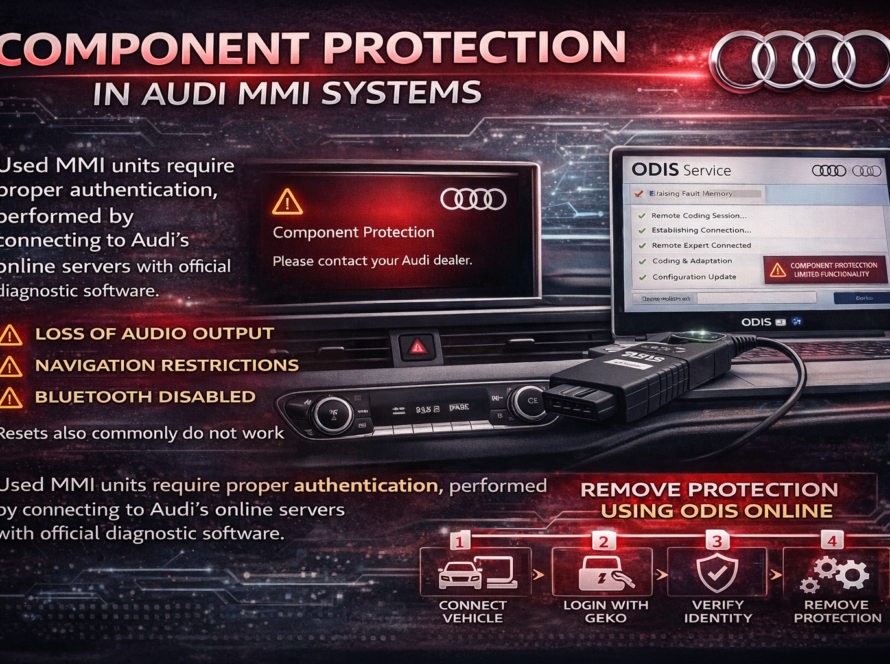
On newer vehicles, the gateway module may be subject to component protection enforced through the SFD system. If the replacement module carries component protection from a previous vehicle, it must be released through the appropriate authenticated procedure in ODIS before it will function correctly in the new vehicle.
Step 8 – Clear Faults and Retest
After completing any corrections, clear all stored fault codes from the vehicle and perform another full system scan. Verify that all expected control units are now communicating correctly and that no new faults have appeared. Test relevant vehicle functions to confirm normal operation.
Online Adaptation of a Replacement Gateway Module
The online adaptation procedure is a critical step that is sometimes skipped or performed incorrectly, leading to persistent gateway communication errors after a module replacement. Here is what the process involves:
When ODIS initiates an online adaptation for a new gateway module, it:
- Reads the vehicle identification number (VIN) and existing vehicle configuration data
- Communicates with Volkswagen backend servers to retrieve the correct module configuration for that specific vehicle
- Writes the appropriate coding, parameterization, and adaptation data to the new gateway module
- Registers the new module in the vehicle’s electronic configuration stored on the server
This process ensures that the replacement gateway is configured identically to the original module in terms of network topology awareness, message routing rules, and vehicle-specific parameters. A stable internet connection and a valid authorized ODIS account are prerequisites for this procedure.
Preventing Gateway Communication Errors
Proactive measures can significantly reduce the risk of gateway communication errors arising from workshop procedures:
- Always use ODIS for coding and adaptation — avoid manual coding changes without proper guidance
- Verify module part numbers before installation to ensure compatibility with the vehicle variant
- Never interrupt a programming or adaptation procedure once it has begun
- Use only approved diagnostic interfaces — aftermarket interfaces may not correctly handle all communication protocols
- Inspect wiring thoroughly before replacing any module, as the fault may be in the harness rather than the module itself
- Keep ODIS updated to ensure compatibility with the latest gateway module variants and server protocols
- Document the original coding of any module before making changes, to enable recovery if something goes wrong
Gateway Communication Errors in the Context of Modern Vehicle Architecture
As Volkswagen Group vehicles become increasingly complex — with the latest generations featuring zonal architecture, centralized domain controllers, and high-speed Ethernet backbones — the gateway’s role becomes even more critical and its configuration even more sophisticated.
In vehicles based on the E3 electrical architecture (such as those running the VW.OS operating system in future models), the concept of a discrete gateway module is evolving into a more distributed but equally critical function. Technicians who develop a deep understanding of current gateway systems and their diagnostic requirements will be well prepared to work with these next-generation architectures as they enter mainstream service.
Summary
Gateway communication errors in Volkswagen vehicles indicate a disruption in the central communication hub that connects all of the vehicle’s electronic networks. These errors can arise from incorrect module coding, faulty wiring, power supply issues, improperly adapted replacement modules, or component protection conflicts on newer vehicles.
Effective diagnosis requires a structured approach beginning with a full system scan and fault code analysis, followed by physical checks and software verification. When a replacement gateway module is installed, online adaptation using ODIS is mandatory to ensure the module is correctly configured for the specific vehicle. As vehicle electronic architectures continue to evolve, proficiency with gateway diagnostics will remain a cornerstone skill for any technician working with modern VAG vehicles.
Need help? We are here for you. whatsapp: +420773585568 mail: info@odisonline.eu
ODISONLINE.EU