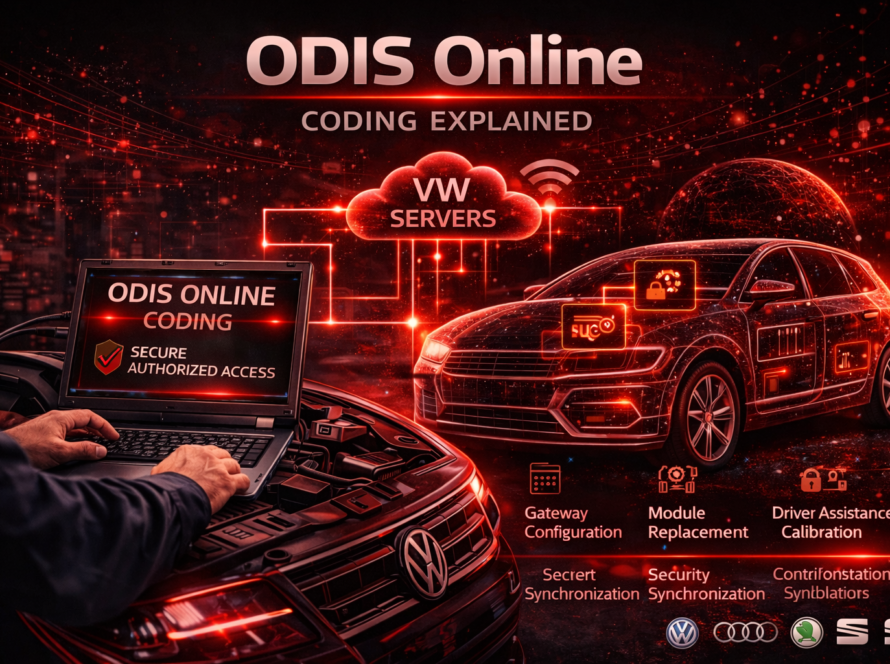
FAZIT is a critical backend server system developed and maintained by Volkswagen Group. Its primary role is to store and manage vehicle configuration data, component protection information, and module authentication records for all vehicles within the VAG (Volkswagen Audi Group) ecosystem, including brands such as Volkswagen, Audi, ŠKODA, SEAT, and Cupra.
When a technician performs certain advanced diagnostic or programming procedures using ODIS (Offboard Diagnostic Information System), the software must establish a live, authenticated connection to the FAZIT servers. This real-time communication is essential for:
- Verifying the identity of the vehicle and its registered modules
- Authorizing component protection removal procedures
- Validating module adaptation and coding operations
- Confirming that replacement parts are compatible with the vehicle’s stored configuration
Without a successful FAZIT connection, many online diagnostic procedures simply cannot be completed. Understanding what causes FAZIT authentication errors — and how to fix them — is therefore an essential skill for any professional working with VAG vehicles.
What Is a FAZIT Authentication Error in ODIS?
A FAZIT authentication error is a specific type of communication or verification failure that occurs when ODIS software is unable to successfully authenticate with the Volkswagen FAZIT backend server during an online diagnostic procedure.
This error typically appears as a pop-up notification or a failed status message within the ODIS interface, interrupting the procedure and preventing the technician from completing the task at hand.
The error is not simply a network timeout — it specifically indicates that the authentication process itself has failed. This means either the connection to the server was interrupted, the credentials used were not accepted, or the data being sent (such as module identification numbers) did not match what the FAZIT database expects for that particular vehicle.
Common Causes of FAZIT Authentication Errors
Understanding the root cause of the error is the first and most important step toward resolving it. There are several well-documented reasons why FAZIT authentication errors occur in practice:
1. Incorrect or Expired Login Credentials
ODIS requires a valid dealer login or technician account to communicate with Volkswagen backend systems. If the credentials have expired, been entered incorrectly, or if the account has been locked due to inactivity or policy violations, FAZIT authentication will fail immediately.
2. Unstable or Interrupted Internet Connection
FAZIT communication depends entirely on a stable and reliable internet connection. Even brief interruptions during the authentication handshake can cause the process to fail. This is one of the most common causes seen in workshop environments where network infrastructure may not be optimized for diagnostic operations.
3. Mismatched Module Identification Data
Each control module installed in a VAG vehicle has a unique part number, hardware version, and software version that is registered in the FAZIT database. If the module currently installed in the vehicle does not match the data stored in FAZIT — for example, after a module replacement — the authentication process will detect a discrepancy and return an error.
4. Incompatible Replacement Module
In cases where a used or aftermarket control module has been installed, the module may carry component protection from a different vehicle. FAZIT will recognize that the module’s registered VIN does not match the current vehicle, causing authentication to fail until the component protection is properly cleared by an authorized process.
5. ODIS Software Version Issues
Running an outdated version of ODIS may result in compatibility issues with the current FAZIT server interface. Volkswagen periodically updates both the diagnostic software and its backend systems, and mismatched versions can lead to authentication failures.
6. VPN or Firewall Interference
Some workshop networks use VPN solutions or strict firewall configurations that can block or interfere with the specific ports and protocols used by ODIS when connecting to Volkswagen servers. This is a frequently overlooked cause, particularly in larger dealership environments with centrally managed IT infrastructure.
7. Server-Side Outages
Occasionally, the FAZIT servers themselves may experience downtime or maintenance windows. In these cases, the error is outside the technician’s control and the procedure must be retried at a later time.
Step-by-Step Troubleshooting Guide
When a FAZIT authentication error appears in ODIS, follow this structured approach to identify and resolve the issue efficiently:
Step 1 – Verify Internet Connectivity
Before anything else, confirm that the diagnostic computer has a stable, active internet connection. Test by opening a browser and navigating to a known website. If the connection is intermittent or slow, resolve the network issue before attempting any FAZIT-dependent procedure again.
Step 2 – Check ODIS Server Connection Status
Within ODIS, navigate to the server connection settings and verify that the software shows an active and authenticated connection to Volkswagen backend systems. A green or confirmed status indicator should be visible. If the connection is shown as inactive or failed, attempt to re-establish it manually.
Step 3 – Confirm Login Credentials
Verify that the technician account credentials entered in ODIS are current and valid. If there is any doubt, contact your system administrator or the relevant Volkswagen importer support team to confirm that the account is active and the password has not expired.
Step 4 – Verify the Module Part Number
Compare the part number of the installed control module with the vehicle’s original configuration. This can be done by reading the module identification data directly via ODIS and cross-referencing it with the vehicle’s build documentation or the ETKA parts system. If the part number does not match what is expected for that vehicle variant, this is likely the source of the mismatch.
Step 5 – Check for Component Protection Status
If a replacement module has been installed, determine whether it carries active component protection from a previous vehicle. This can be identified in the module’s coding or protection status as read by ODIS. Component protection removal is itself an online procedure that requires FAZIT communication, so ensuring all preconditions are met before attempting it is critical.
Step 6 – Update ODIS Software
Ensure that the installed version of ODIS is up to date. Check the Volkswagen service portal for the latest available version and apply any pending updates. Running the latest version ensures compatibility with the current FAZIT server protocols.
Step 7 – Review Network and Firewall Settings
Work with your IT department or network administrator to confirm that the required ports and addresses used by ODIS are not blocked by firewalls or VPN configurations. Volkswagen provides documentation on the necessary network requirements for ODIS operation.
Step 8 – Retry the Procedure
After addressing any identified issues, restart ODIS and attempt the procedure again from the beginning. Do not attempt to resume a previously failed session, as incomplete authentication states can cause further errors.
Step 9 – Contact Technical Support
If the error persists after completing all of the above steps, escalate the issue to Volkswagen technical support or your regional importer’s helpdesk. Provide them with the exact error message, the vehicle VIN, the module part number, and a description of the procedure being attempted. In some cases, manual intervention on the FAZIT server side may be required to resolve the issue.
How to Prevent FAZIT Authentication Errors
Proactive measures can significantly reduce the frequency of FAZIT authentication errors in a workshop environment:
- Maintain a dedicated, stable internet connection for diagnostic computers, separate from general workshop Wi-Fi
- Keep ODIS updated at all times and schedule regular software maintenance
- Always verify module compatibility before installation using official parts documentation
- Use only authorized accounts with current valid credentials for ODIS sessions
- Check FAZIT server status through the Volkswagen service portal before starting time-sensitive programming procedures
- Document module part numbers before and after any component replacement for easy cross-referencing
FAZIT Authentication Errors and Component Protection
One of the most critical scenarios in which FAZIT authentication errors appear is during component protection removal on newer VAG vehicles. Starting with vehicles built on the MQB platform and especially prevalent in MEB (electric vehicle) platforms, Volkswagen has implemented a robust component protection system that ties control modules to specific vehicles.
When a module is replaced, it must be released from its previous vehicle and then re-paired to the new vehicle through a FAZIT-authenticated procedure in ODIS. If this process fails due to an authentication error, the module will remain in a protected state and will not function correctly in the new vehicle.
This makes resolving FAZIT authentication errors not just a matter of convenience but a functional necessity in many repair scenarios involving module replacement.
Summary
FAZIT authentication errors in ODIS are a common but solvable challenge in modern VAG vehicle diagnostics. They arise from a combination of connectivity issues, credential problems, module data mismatches, and compatibility concerns. By following a systematic troubleshooting approach — starting with the basics of network connectivity and working through to module identification and software verification — technicians can resolve the vast majority of these errors efficiently.
For workshops regularly performing programming, coding, and component protection procedures on Volkswagen Group vehicles, investing in reliable network infrastructure and maintaining properly updated ODIS installations is the most effective long-term strategy for avoiding FAZIT-related interruptions.
Need help? We are here for you. whatsapp: +420773585568 mail: info@odisonline.eu
ODISONLINE.EU