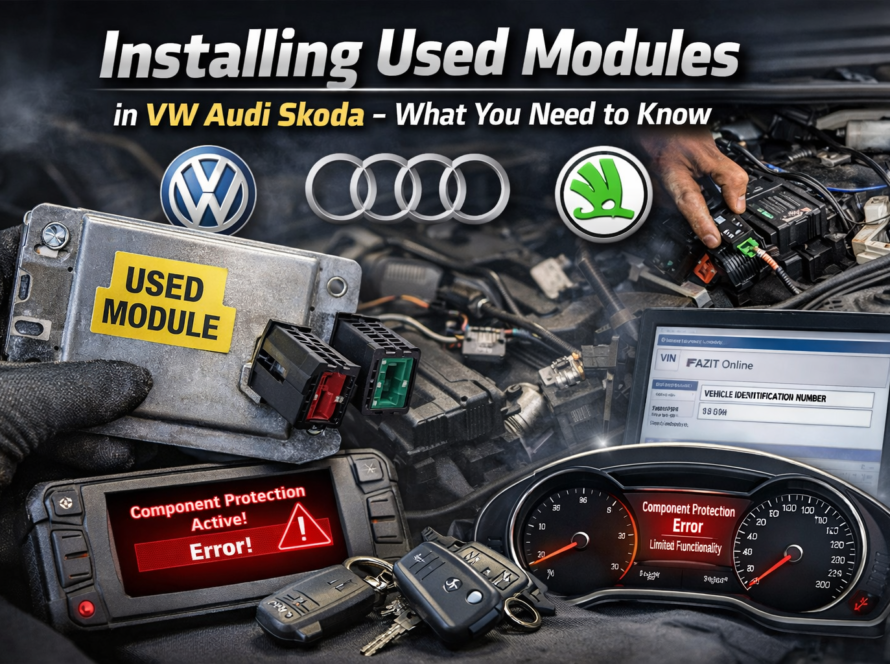
If you have installed a used electronic module in a Volkswagen, Audi, Škoda or SEAT vehicle and suddenly see limited functionality or warning messages, component protection is most likely the cause.
This is a very common situation when working with used parts, retrofits or accident repairs. In this article, we explain exactly why component protection activates, what it means, and how to fix it using ODIS Online.
What Happens When You Install a Used Module
Modern VAG vehicles store important identification data inside each electronic control unit.
When a module is installed at the factory, it is digitally linked to:
- the vehicle VIN
- the vehicle configuration
- the manufacturer database
This means the module “belongs” to that specific vehicle.
If you have installed a used electronic module in a Volkswagen, Audi, Škoda or SEAT vehicle and suddenly see limited functionality or warning messages, component protection is most likely the cause.
This is a very common situation when working with used parts, retrofits or accident repairs. In this article, we explain exactly why component protection activates, what it means, and how to fix it using ODIS Online.
Why Component Protection Is Triggered
When you install a used module from another vehicle, the system immediately detects a mismatch.
👉 The stored VIN inside the module
❌ does not match your vehicle’s VIN
As a result, the system activates Component Protection.
This is not a fault or error — it is an intentional security mechanism.
The Real Purpose of Component Protection
Component Protection exists to prevent:
- theft of electronic modules
- illegal resale of parts
- unauthorized retrofits
Without this system:
- stolen infotainment systems could be reused
- digital dashboards could be easily resold
- high-value modules would be targeted by thieves
➡️ Component Protection makes these parts unusable outside their original vehicle.
Symptoms After Installing a Used Module
Once Component Protection is active, the module enters restricted mode.
Common symptoms include:
- infotainment system with no sound
- navigation not working
- warning messages on display
- limited or locked functions
- errors in instrument cluster
In some cases, the module appears to work — but only partially.
Why This Happens Even If the Module Is “Good”
A very common misunderstanding is:
👉 “The module is broken”
In reality:
❌ the module is NOT faulty
✔ it is simply locked by the security system
This is normal behavior for all modern Volkswagen Group vehicles.
How to Fix Component Protection
To restore full functionality, the module must be authenticated online using ODIS.
The process includes:
- Connecting the vehicle to ODIS Service
- Logging in via GEKO authorization
- Connecting to manufacturer servers
- Verifying the module identity
- Synchronizing the module with your vehicle VIN
- Removing component protection
Important: Offline Tools Will Not Work
Component Protection removal requires:
- official ODIS diagnostic system
- GEKO login access
- online communication with VW/Audi servers
Tools like VCDS or OBDeleven cannot remove component protection.
Professional Solution
If you don’t have access to ODIS Online, we can help.
👉 We offer:
- Remote Component Protection Removal
- ODIS Online sessions
- Fast activation for used modules
Conclusion
Component Protection activates after installing a used module because the system detects a mismatch between the module’s stored VIN and the vehicle VIN.
This is a normal security feature designed to prevent theft and unauthorized use of parts.
Once the module is properly authenticated using ODIS Online, full functionality is restored.
Need help? We are here for you. whatsapp: +420773585568 mail: info@odisonline.eu
ODISONLINE.EU