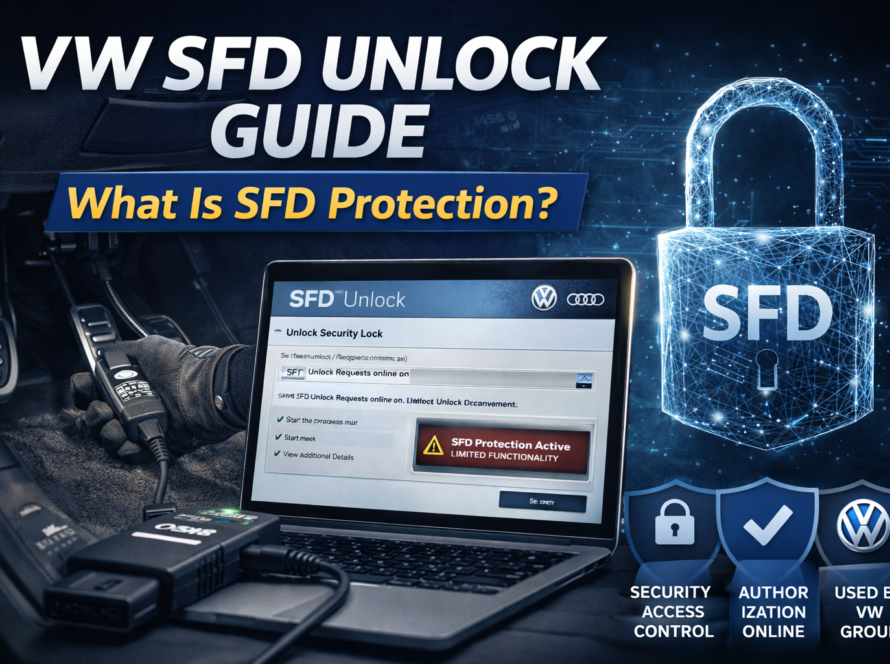
The “Module Not Authorized” error is one of the more commonly encountered and potentially disruptive diagnostic messages in modern Volkswagen Group vehicles. It signals that the vehicle’s security system has detected a control unit whose identity does not match the vehicle’s registered configuration — and has responded by restricting or completely disabling that module’s functionality.
For technicians unfamiliar with VAG vehicle security architecture, this error can be initially puzzling. The installed module may be physically identical to the original, may communicate correctly on the bus, and may show no hardware faults — yet the vehicle refuses to allow it to function normally. Understanding why this happens and how to resolve it properly is an increasingly essential skill in modern VAG diagnostics.
What Causes the “Module Not Authorized” Error?
The Underlying Security Architecture
Modern Volkswagen Group vehicles incorporate a multi-layered security system that ties each electronic control unit to a specific vehicle via a unique identifier registered in Volkswagen’s central backend database (FAZIT). This system — implemented through the component protection framework and reinforced by SFD (Schutz Fahrzeug Diagnose) protection on newer vehicles — is designed to prevent unauthorized module reuse, theft exploitation, and tampering.
Every control unit installed in a VAG vehicle has a unique module identifier that is paired with the vehicle’s VIN in the backend system at the time of original installation. When a module is subsequently detected in a different vehicle, the security system identifies the VIN mismatch and flags the module as unauthorized.
Installation of a Used Module
The most common trigger for the “Module Not Authorized” error is the installation of a used electronic module sourced from another vehicle. This is an increasingly common practice as genuine new parts carry high price tags and used components are readily available from dismantled vehicles. However, every used module carries the identity of its original vehicle, and without proper authorization procedures, it will be rejected by the new vehicle’s security system.
Failed or Incomplete Authorization Procedure
In some cases, the error appears even after an authorization procedure was attempted, because the procedure did not complete successfully. A dropped internet connection, a session timeout, a software error, or insufficient account authorization can all cause the procedure to fail partway through, leaving the module in an unauthorized state.
Module Replacement Without Online Procedure
Some technicians — particularly those unfamiliar with the requirements of newer VAG platforms — install replacement modules and attempt to code them manually using conventional methods, unaware that the module requires online authorization before coding can take effect. In these cases, the module may be coded but remains unauthorized, and the “Module Not Authorized” error persists regardless of how many times the coding is rewritten.
Mismatch Between Module Data and Backend Records
In rare cases, a module that was legitimately installed may generate a “Module Not Authorized” error due to a discrepancy in the backend database — for example, if the vehicle’s configuration record was not properly updated after a previous authorized replacement, or if the module’s identifier was incorrectly recorded during manufacture.
Which Modules Can Trigger This Error?
The “Module Not Authorized” error is not limited to any single module type. Virtually any protected control unit in the vehicle can generate this error when installed without proper authorization. Commonly affected modules include:
| Module Type | Typical Impact of Unauthorized State |
|---|---|
| Engine Control Unit (ECU) | Engine may not start; reduced performance mode |
| Transmission Control Module | Gearbox locked in limp mode or non-functional |
| Infotainment Head Unit | Audio disabled; navigation unavailable |
| Virtual Cockpit / Instrument Cluster | Display restricted; warning messages shown |
| Gateway Module | Bus communication disruption across vehicle |
| ABS / ESP Control Unit | Safety systems deactivated; warning lights active |
| Airbag Control Unit | SRS system disabled; airbag warning present |
| Battery Management System (EV) | Charging and range management impaired |
| Comfort / Body Control Module | Central locking, windows, or lighting restricted |
| ADAS Control Units | Driver assistance features unavailable |
Symptoms and Presentation
The “Module Not Authorized” error can present in different ways depending on the affected module and the vehicle generation:
- A direct error message displayed in ODIS during a diagnostic session, explicitly stating that the module is not authorized
- Warning lights or messages on the instrument cluster or infotainment display related to the affected system
- Complete functional loss of the affected module’s primary purpose — no audio, no engine start, no transmission function
- Restricted or limited operation — the module functions partially but with key features disabled
- Fault codes stored in the affected module and in the gateway, referencing authorization failure or module identity mismatch
- The vehicle passing all physical diagnostic checks but still refusing to enable full module functionality
Resolving the “Module Not Authorized” Error
Step 1 – Confirm the Root Cause
Before initiating the authorization procedure, confirm that the “Module Not Authorized” error is genuinely the result of a VIN mismatch or failed authorization rather than a different underlying fault. Perform a full ODIS scan and review the specific fault codes stored in the affected module. Confirm whether the module’s registered VIN differs from the current vehicle’s VIN.
Step 2 – Verify Module Compatibility
Confirm that the installed module has the correct part number for the target vehicle. An incompatible module may generate similar error messages but will not be resolvable through authorization alone — it must be replaced with a compatible unit.
Step 3 – Prepare for Online Authorization
Ensure the following prerequisites are in place:
- Stable, dedicated internet connection for the ODIS computer
- Valid, active ODIS technician account with the required authorization level
- Approved VAS diagnostic interface connected to the vehicle
- Battery support unit connected and maintaining correct voltage
- Current version of ODIS Service software installed
Step 4 – Perform Online Authorization via ODIS
Navigate to the affected module within ODIS and initiate the component protection removal or module authorization guided procedure. The process involves:
- ODIS reading the module’s unique identifier and the vehicle VIN
- Transmitting this data to Volkswagen backend servers (FAZIT)
- The server verifying the authorization request against workshop and account credentials
- The server issuing an authorization release for the specific module and vehicle combination
- ODIS writing the authorization data to the module, updating its registered VIN to match the current vehicle
- The module exiting restricted state and resuming full functionality
Step 5 – Complete Any Required Adaptation
Following successful authorization, some modules may require additional adaptation or coding steps to be fully functional. The gateway, for example, may need to be reconfigured to correctly include the newly authorized module in its network map. ODIS will typically prompt for any required post-authorization steps.
Step 6 – Clear Faults and Final Verification
Clear all stored fault codes from the entire vehicle and perform a comprehensive final scan. Verify that the previously unauthorized module is now communicating correctly and that all expected functions have been restored. Test the specific functions that were restricted during the unauthorized state to confirm complete resolution.
When Authorization Cannot Be Completed
There are scenarios where the standard authorization procedure cannot resolve the “Module Not Authorized” error:
- The module is blacklisted — if the module’s identifier has been flagged in the Volkswagen system as stolen or associated with fraudulent activity, authorization will be denied by the server
- The workshop account lacks sufficient authorization — certain module types require elevated authorization levels that not all accounts possess
- The module is from an incompatible vehicle generation — authorization requires that the module variant is compatible with the target vehicle; cross-generation installations may not be supportable
- Server-side data inconsistency — in rare cases, incorrect data in the FAZIT database requires manual correction by Volkswagen technical support before authorization can proceed
In these situations, escalating to Volkswagen technical support with full documentation — including the vehicle VIN, module part number, module identifier, and the specific error returned during the authorization attempt — is the recommended course of action.
The Broader Importance of Understanding Module Authorization
The “Module Not Authorized” error is not simply a technical inconvenience — it reflects a fundamental shift in how modern vehicles manage component identity and security. As Volkswagen Group and the broader automotive industry move toward increasingly software-defined vehicle architectures, the binding of electronic modules to specific vehicles will become more rather than less stringent.
Technicians who understand the authorization ecosystem — including FAZIT, component protection, SFD, and the ODIS Online procedures that interact with these systems — are equipped to work effectively with current and future VAG vehicles. Those who attempt to work around or ignore these requirements will face persistent errors that cannot be resolved through conventional diagnostic approaches.
Investing in proper ODIS training, maintaining current software and account credentials, and building familiarity with online authorization procedures is therefore not merely beneficial — it is essential for competent practice in the modern VAG workshop environment.
Summary
The “Module Not Authorized” error in Volkswagen Group vehicles indicates that a control unit’s identity does not match the vehicle’s registered configuration in Volkswagen’s backend database. It most commonly occurs after installing a used module from another vehicle and is resolved through the online authorization procedure in ODIS, which re-registers the module against the current vehicle’s VIN and releases all functionality restrictions. A systematic approach — confirming the cause, verifying compatibility, ensuring all prerequisites are met, and executing the guided ODIS procedure — resolves the error in the vast majority of cases.
Need help? We are here for you. whatsapp: +420773585568 mail: info@odisonline.eu
ODISONLINE.EU